Templates · Slack
7 Google Forms + Slack Workflows Teams Actually Use
From inbound leads to bug reports and event RSVPs: seven practical ways teams route Google Forms responses into Slack, with a message template for each.
By Slacify Team · Makers of Slacify · · 2 min read
Posting form responses to Slack is simple. The value comes from sending the right form to the right channel with a message people can act on. Here are seven setups that work well, each with a template you can paste into Slacify.
1. Inbound leads to #sales
Speed wins deals. A demo request posted instantly lets whoever is free claim it in a thread.
:briefcase: *{{Name}}* at *{{Company}}* wants a demo
{{Team size}} people · {{Work email}}
<{{Response Link}}|Details>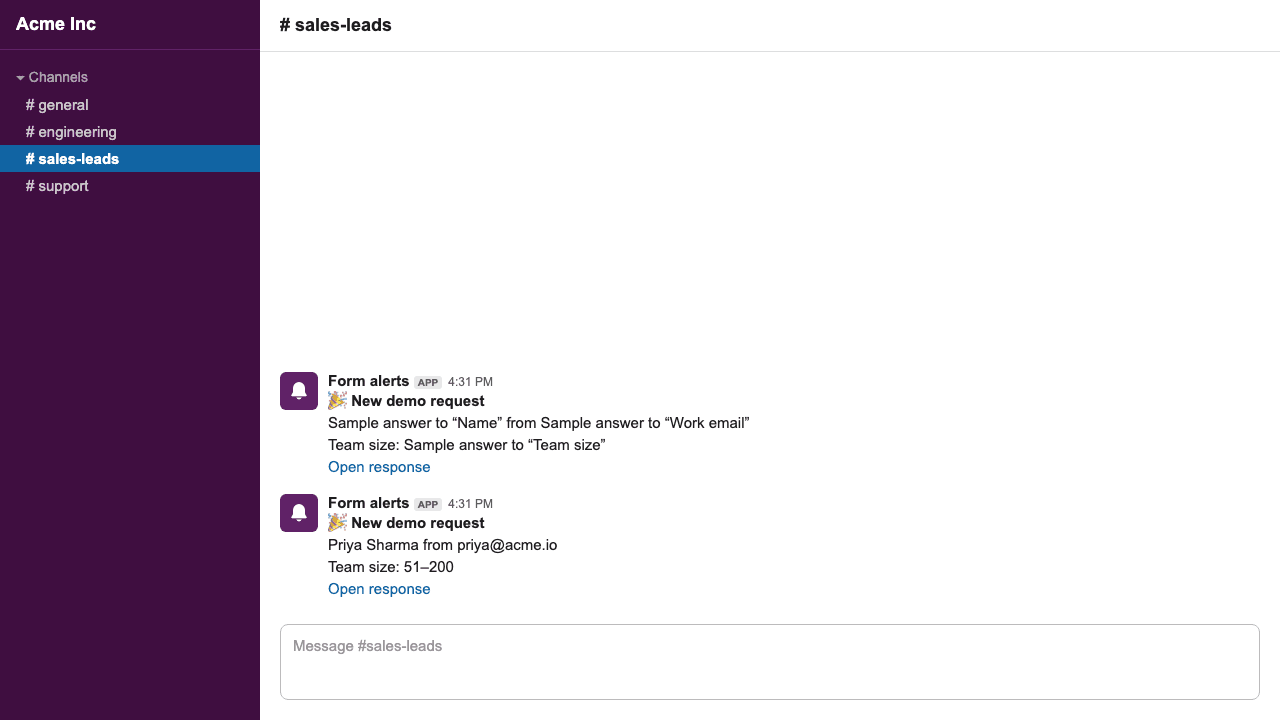
2. Support requests to #support
:sos: *{{Subject}}* from {{Respondent Email}}
>{{Describe the problem}}
3. Bug reports to #engineering
Mention the on-call group only for high-severity reports by giving them their own notification on a separate form, or by keeping severity in the first line so people can triage at a glance.
:beetle: *[{{Severity}}]* {{Summary}}
Steps: {{Steps to reproduce}}
Browser: {{Browser}}
4. Job applications to #hiring
:wave: New applicant for *{{Role}}*: {{Full name}}
CV: {{Upload your CV}}
LinkedIn: {{LinkedIn profile}}
File-upload answers arrive as Google Drive links, so reviewers can open the CV straight from Slack (with their normal Drive permissions).
5. Event RSVPs to #events
:tada: {{Name}} is coming to *{{Form Name}}* (+{{Guests}})
Dietary needs: {{Dietary requirements}}
6. IT and access requests to #it-helpdesk
:key: *{{Request type}}* for {{Name}} ({{Team}})
Needed by {{Date needed}}
7. Customer feedback to #product
A steady stream of real feedback in the product channel keeps everyone close to customers. Post the score first so good and bad reviews stand out.
*{{How likely are you to recommend us?}}/10* from {{Respondent Email}}
>{{What could we do better?}}
Tips that apply to all of them
- One form, one owner: route each form to the channel of the team that acts on it. Use multiple webhooks when several teams need to know.
- Put the most important answer in the first line; Slack previews show only the start of a message.
- Use
{{Response Link}}so anyone can open the full response in one click. - Keep
@channelout of routine alerts. See the formatting guide for targeted mentions.
Send Google Forms responses to Slack
Custom messages with the answers built in, posted seconds after someone hits Submit. Free 7-day trial.